Solar Offset Mobile App
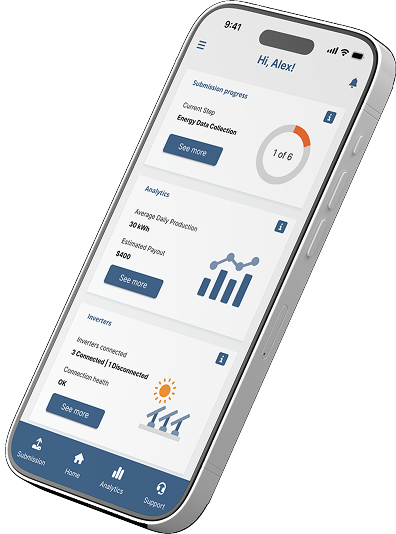
A mobile-first app that tracks carbon credits, auto-ingests inverter data, and offers a robust help section for transparency.
Homeowners and small business owners in the province of Alberta
B2C applications, Data visualization and dashboards, Process tracking dashboards, Light mode, Mobile
2025
Solar Offset is a mobile-first hybrid app that automatically ingests inverter data through IoT and API connections, converts those inputs into verified carbon credits, and presents everything through transparent dashboards with compliance-ready records. A built-in help section reinforces clarity end-to-end, making carbon tracking and verification easy to access and audit on the go.
To understand the problem, we directly spoke to Solar Offset’s customers about where the current experience breaks down, and speaking with the founders to understand the operational challenges happening behind the scenes. From there, we mapped what we learned onto a Jobs-to-be-Done board and a Digital Business Model Canvas to get a clear picture of how the business currently works, what’s manual, and where the friction lives.
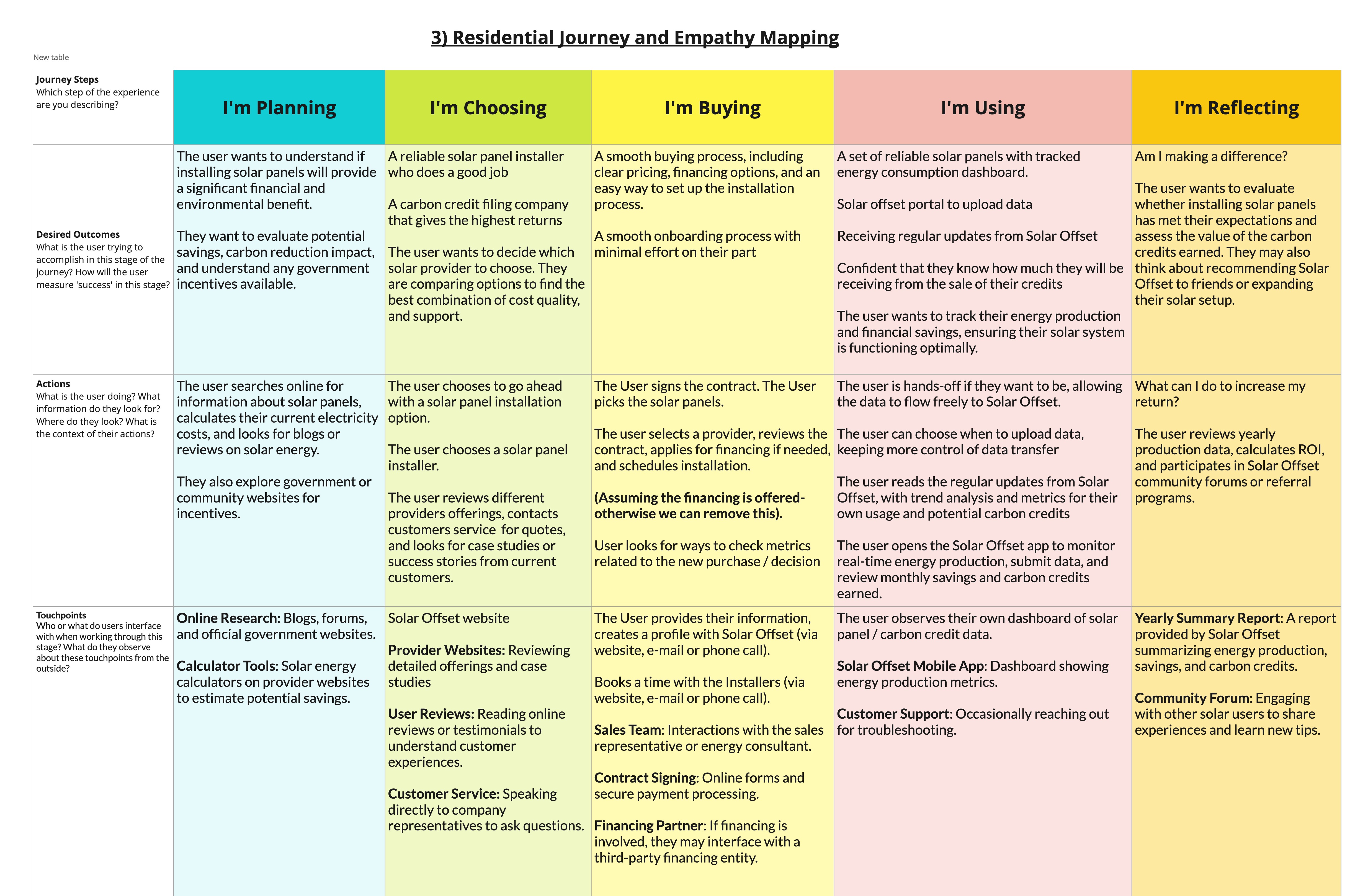
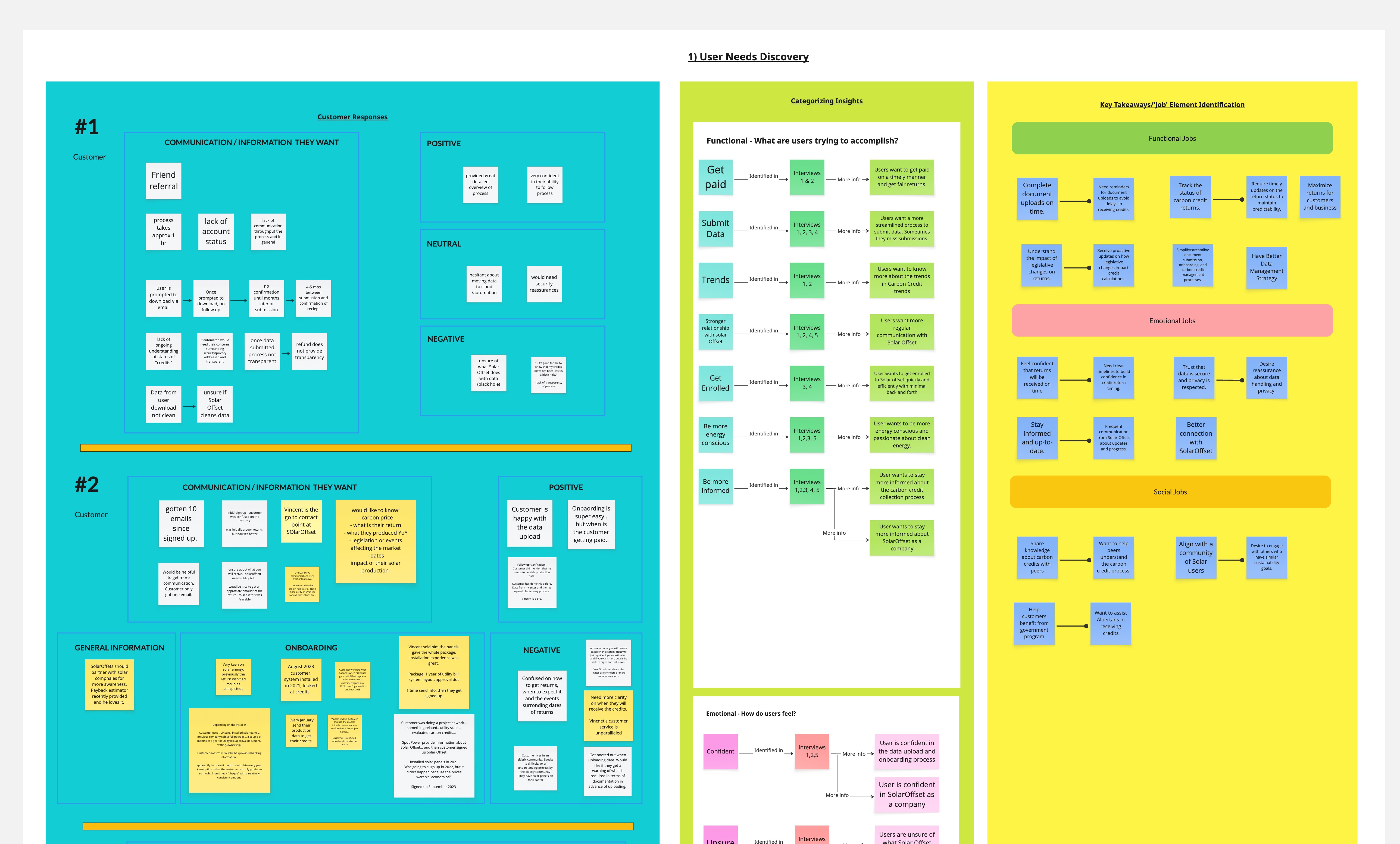
A few themes surfaced quickly. Solar Offset is close to hitting a technical ceiling: every part of their workflow is manual, and scaling to more customers would strain the team. On the user side, homeowners deal with scattered processes, limited visibility, and manual data collection: all of which limit the value they can get from the service.
Using these insights, we defined our Digital Product Opportunity: take the systems Solar Offset already has (plus a few thoughtfully chosen additions) and turn them into a scalable, user-friendly product.
This led to our recommendation: build a cloud-native application that automatically pulls data from solar energy inverters to streamline collection, provide near-real-time carbon credit tracking, and offer clear financial forecasting. The result would increase transparency and trust for users while giving Solar Offset the infrastructure it needs to grow sustainably.
First, we built out a living requirements document that captured functional and non-functional requirements, outlined use cases, and mapped key task flows. This became the foundation for the prototype and ensured the whole team was aligned on what the product needed to do and why.
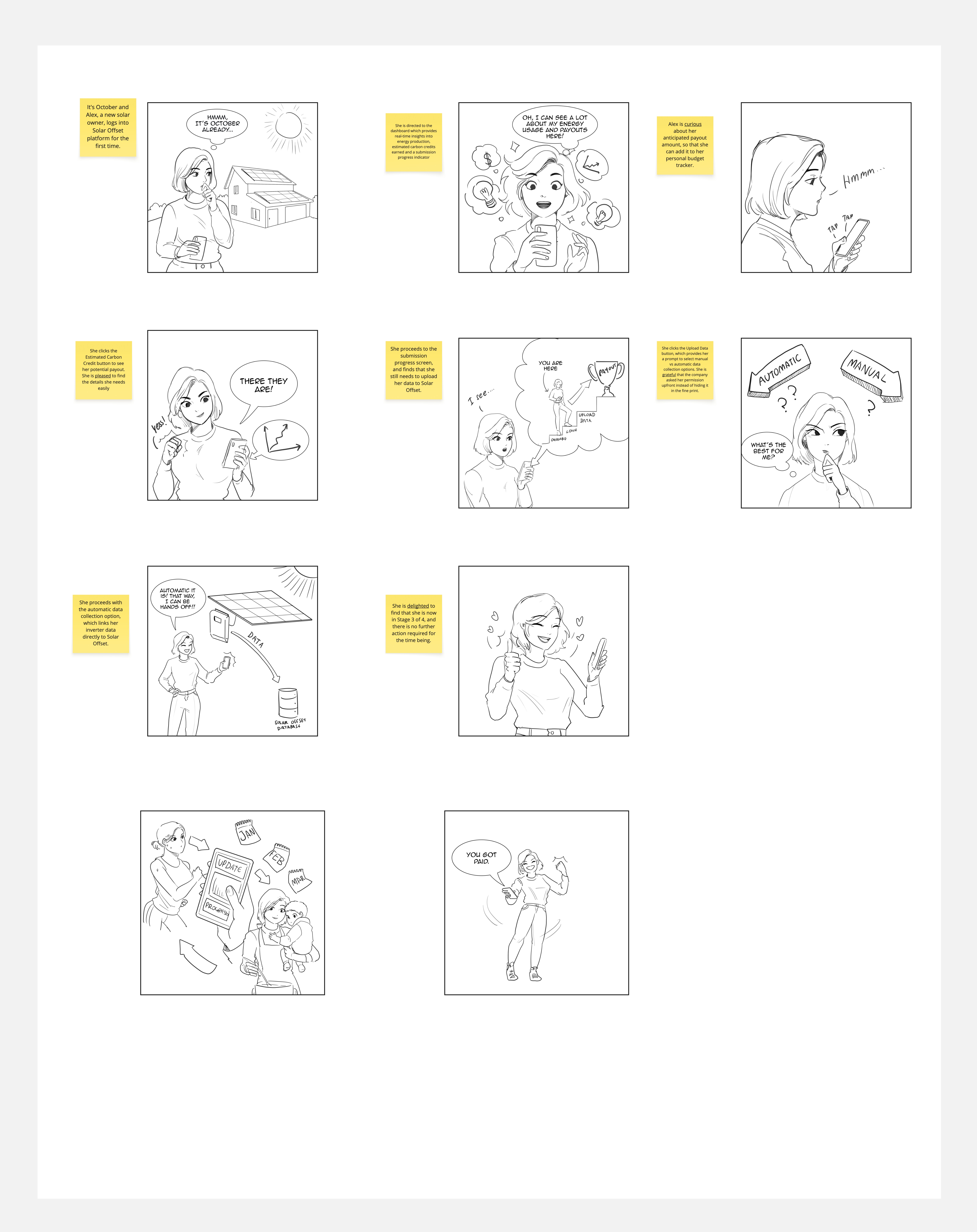
Additionally, we developed storyboards on typical user interactions with the product to further understand the user’s journey.
With the requirements in place, we developed a low-fidelity prototype and brought it into testing with six users following our usability testing plan. Overall, users navigated the experience well, but the testing surfaced a few areas that needed refinement, particularly around how the carbon credit process was presented and tracked. These insights would go on to shape our next iteration.
Next, we assessed the technical feasibility and defined the product’s architecture. After evaluating several architectural approaches, we landed on a hybrid style combining layered and object-oriented patterns. This gave us the cohesion and low coupling needed to support performance, reliability, and future scalability.
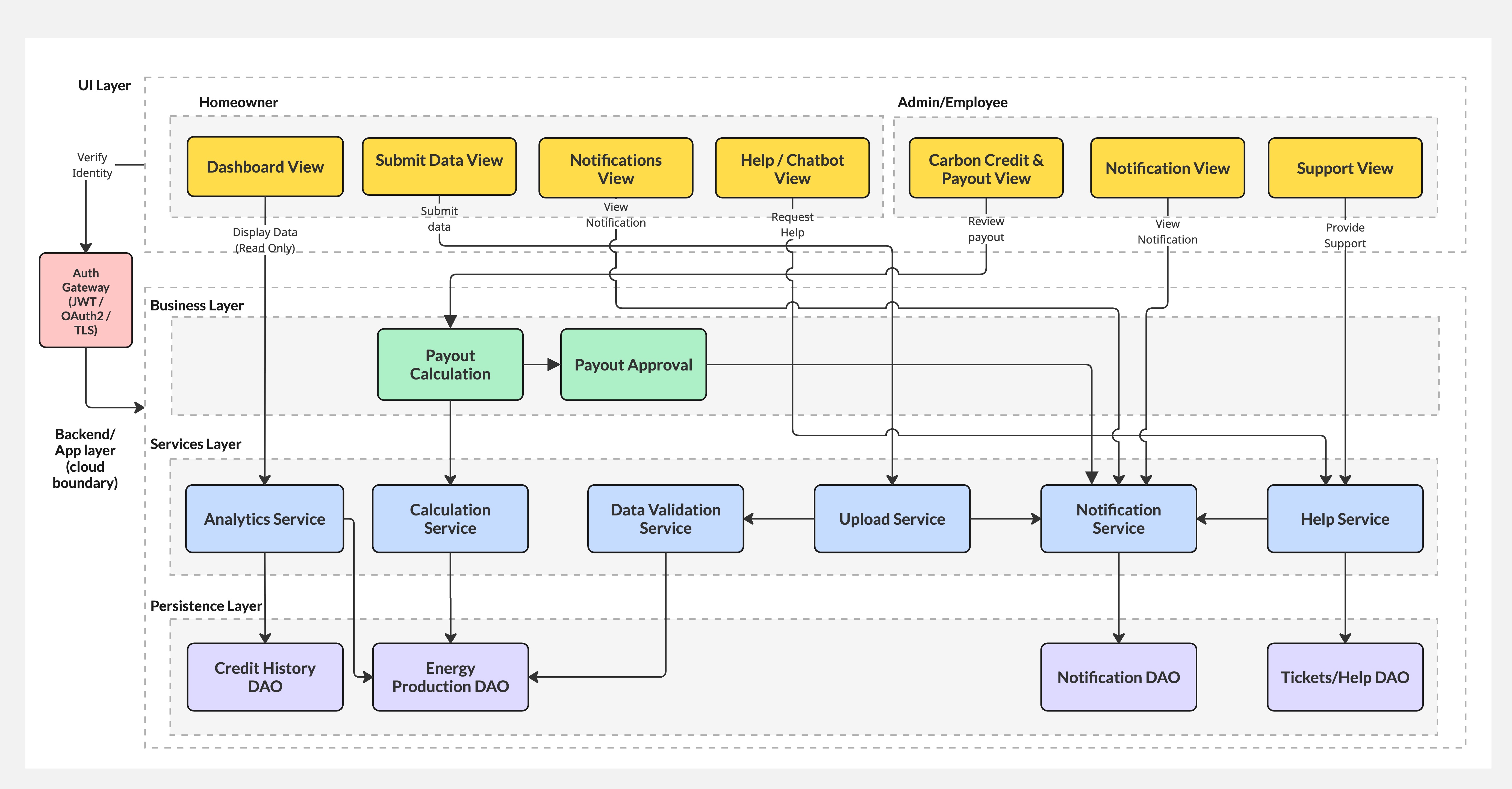
During this stage, I worked closely with our Technical Architect to validate that the design concepts were achievable within Solar Offset’s constraints. We aligned on using the Material UI library as the foundation for the interface, allowing the team to build efficiently while still delivering a polished, consistent experience. Customization would be limited to brand colours and a few tailored illustrations, keeping development practical without compromising quality.
The final prototype showcases the culmination of our design and development efforts, presenting a polished and user-friendly interface for the Solar Offset mobile app. Below are the key screens from the prototype:
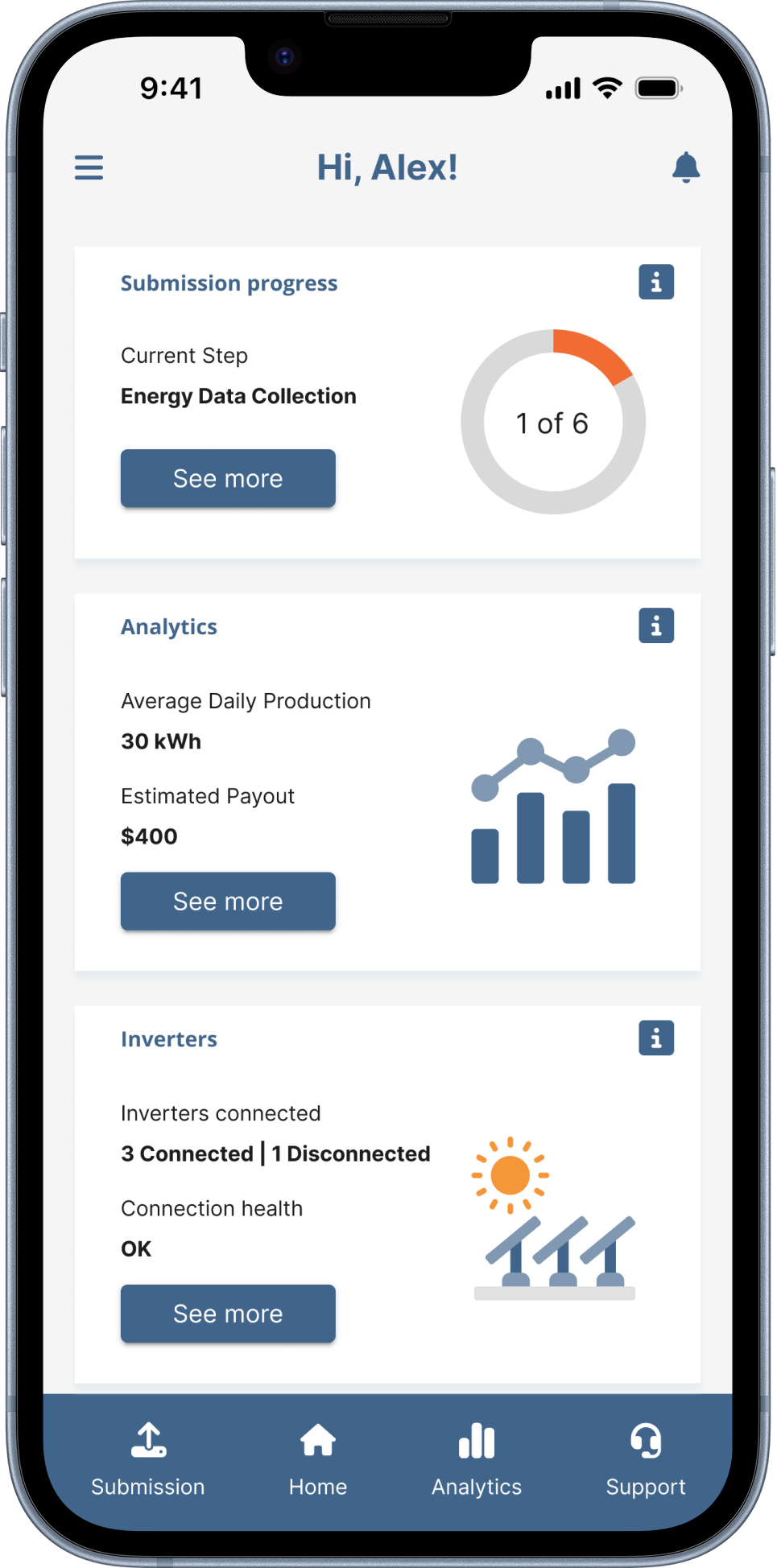
The home screen is the user gets their main on immediate trends of how they currently track their positions, and a selection action items on-the-go. This includes their portfolio, a one-year forecast, offsets, and whether their target is tracking smoothly.
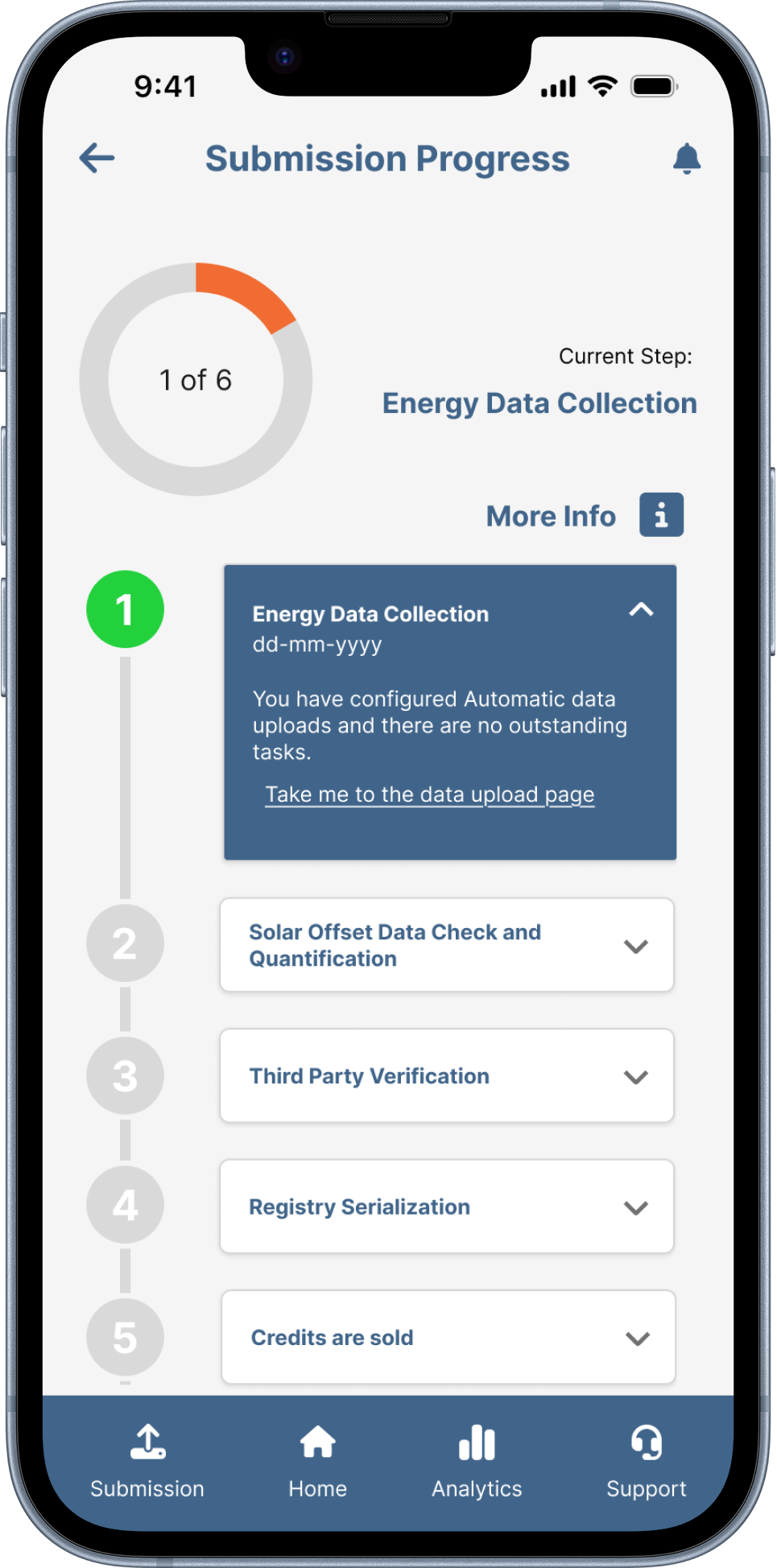
The submission progress screen digs into the details of what's happening with a user's carbon credits, filling the transparency gap we uncovered in interviews. Each step is still ahead, as the flow is easy to follow without extra explanation. It's a simple flow to help users see where they are in the loop and understand how their credits are moving through the process.
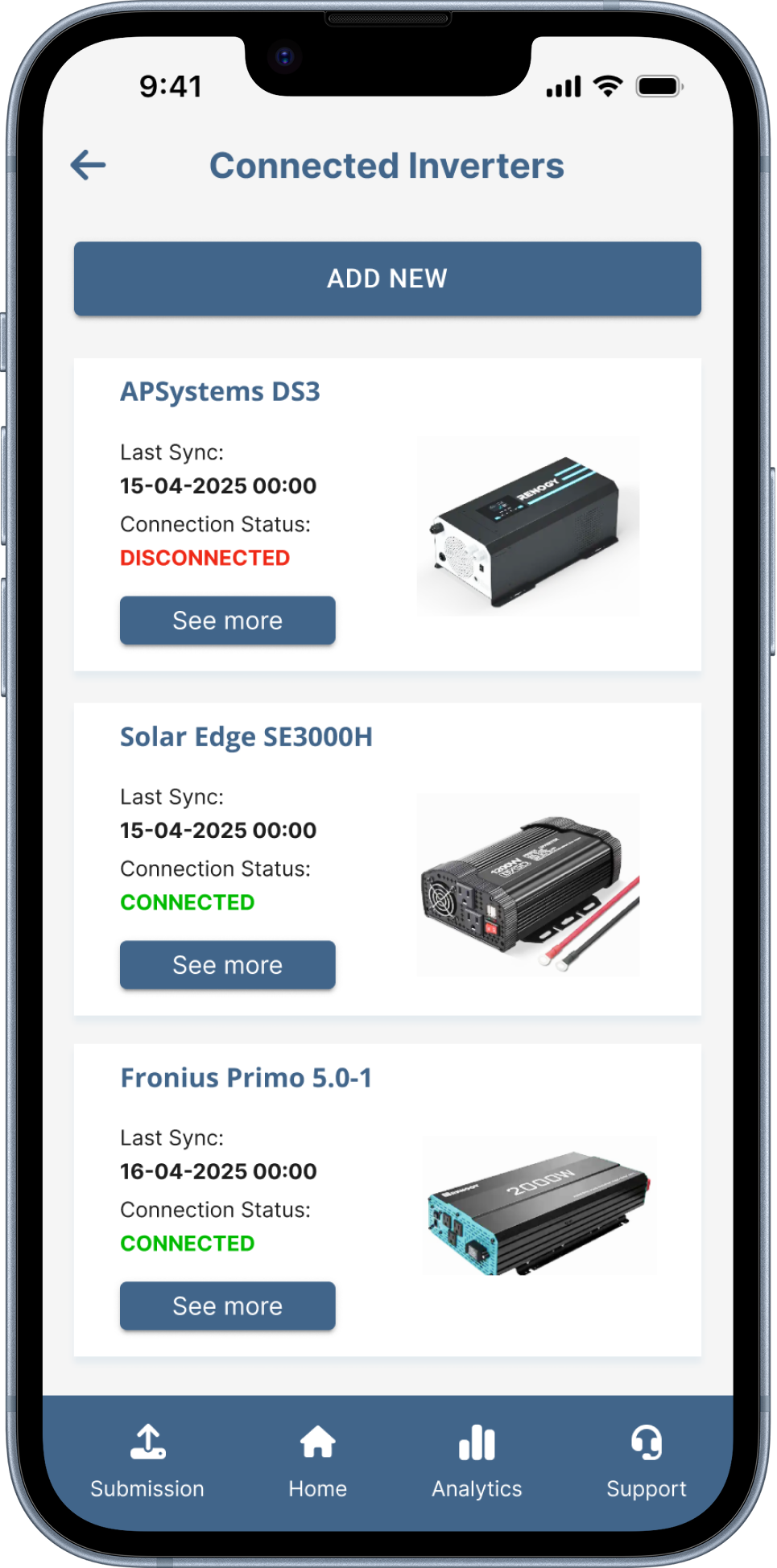
The inverter connectivity screen lets users take control of the inverters tied to the user's carbon credits. Simply putting the device with inverters themselves is whether their output is tracking smoothly.
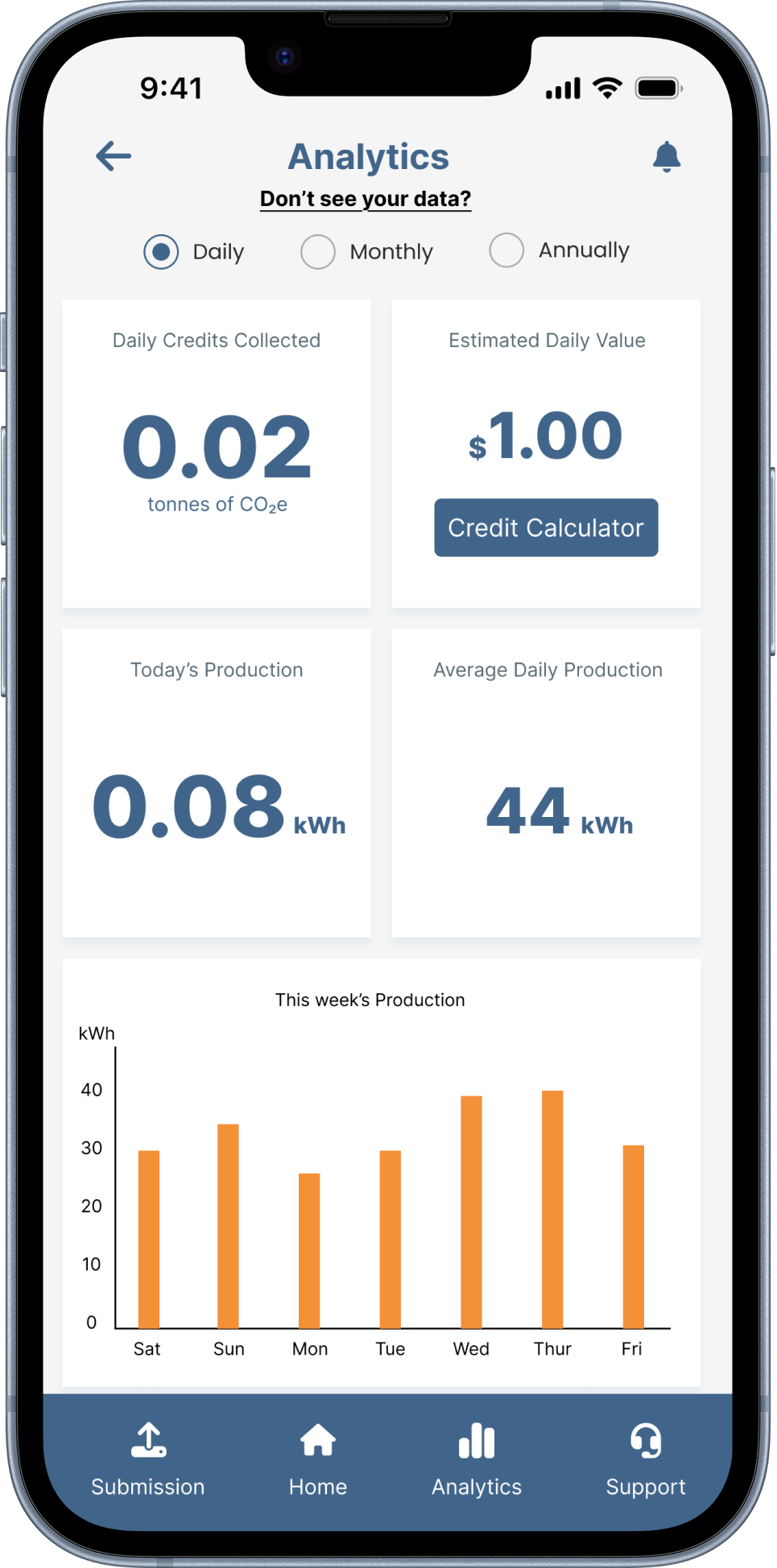
This detailed section gives users a closer look at their energy production, platform, and an estimate of their expected payout. A simple tax-year selector at the top lets you toggle through any prior year you want. While the functionality is easily accessible, making simple yearly comparisons almost trivial.